Free Forever! — macOS & Windows

Capture. Annotate.
Impress.

Beautiful screenshot annotation tool. Blur sensitive data, add numbered pins, highlight key areas, and share stunning screenshots — all in seconds.
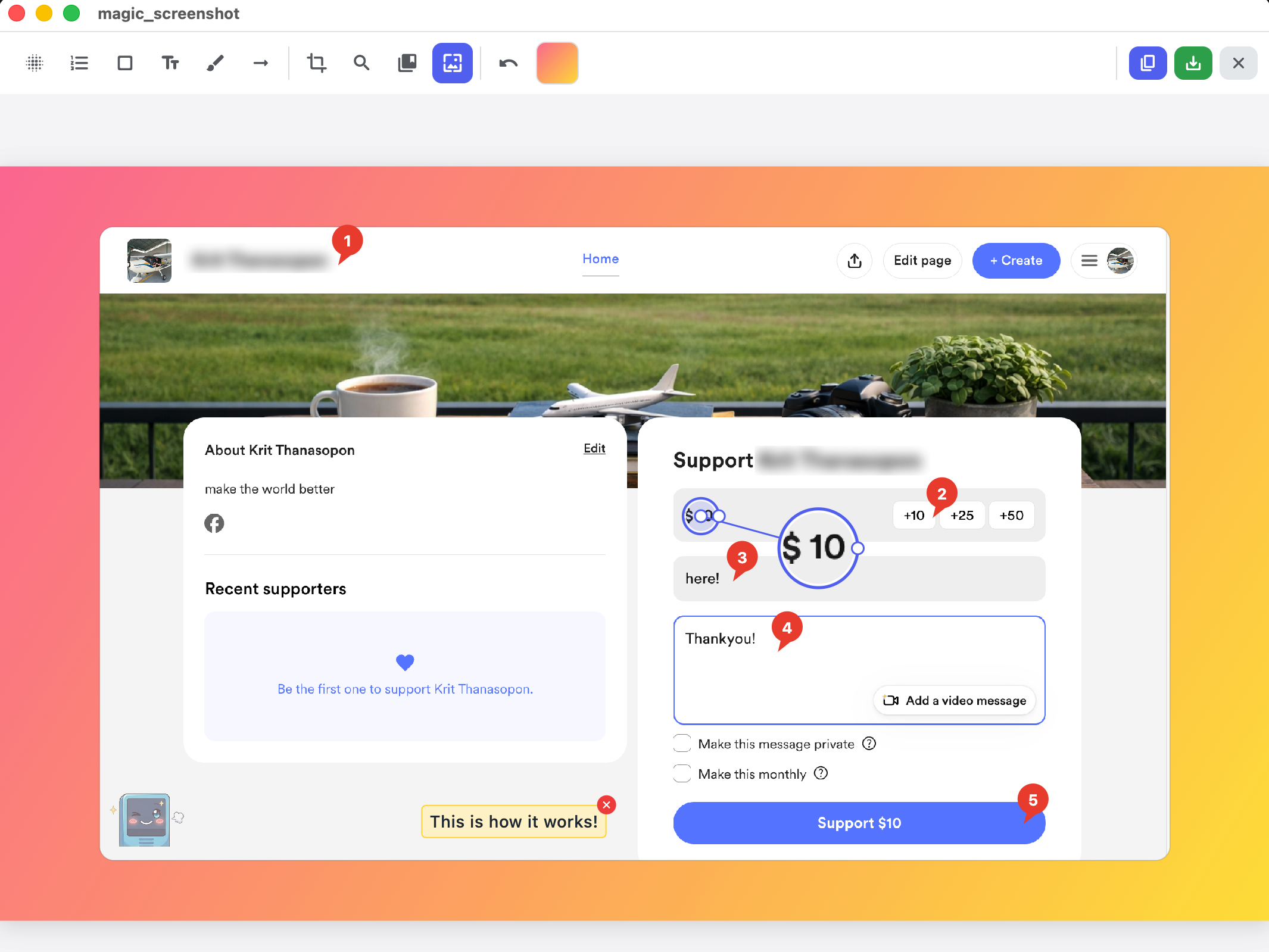
Magic Screenshot Editor
Powerful Tools

Everything you need, nothing you don't

Professional annotation tools designed for clarity and speed

Privacy Blur feature

Privacy Blur

Instantly blur sensitive information — emails, passwords, personal data. Drag to select, done.

Sequence Pins feature

Sequence Pins

Add numbered pins to guide viewers step-by-step. Perfect for tutorials and documentation.

Arrows and Shapes feature

Arrows & Shapes

Draw attention with arrows, rectangles, and freehand highlights. Clean, professional marks.

Magnifier feature

Magnifier

Zoom into details with an interactive magnifier lens. Drag to reposition, resize to focus.

Stamps and Watermarks feature

Stamps & Watermarks

Place custom image stamps with adjustable opacity. Brand your screenshots effortlessly.

Gradient Backdrop feature

Gradient Backdrop

Wrap your screenshot in stunning gradient backgrounds. 10+ preset palettes or customize your own.

Simple Workflow

Three steps to stunning screenshots

1

Capture

Press ⌘⇧S (Mac) or Ctrl+Shift+S (Win) to grab your screen

2

Annotate

Add blurs, pins, arrows, text — everything you need to tell the story

3

Share

Copy to clipboard or save to disk. Instant, polished, professional.

Get Started

Download Magic Screenshot

Free forever. No account required.

macOS

Loading...

Windows

Checking for latest version...
Loading...